Main Content
Step 1: Visit Joe’SS Homepage
- Go to the Joe’SS homepage to begin. This is the platform where you can access your academic records, registration details, and advisor information.
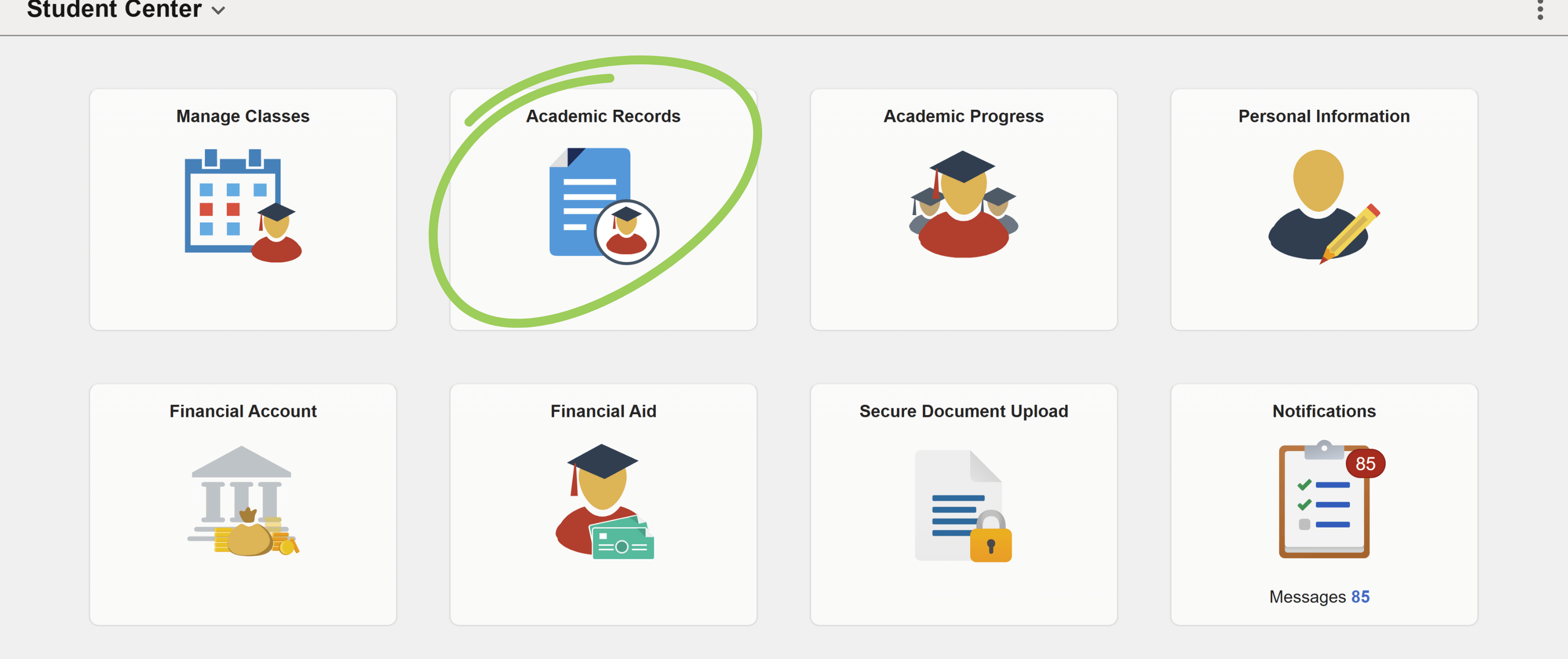
- From the navigation menu on the Joe’SS homepage, click on the ‘Academic Records’ tab to proceed. This will take you to a list of options related to your academic information.
Step 2: Select ‘My Advisors’
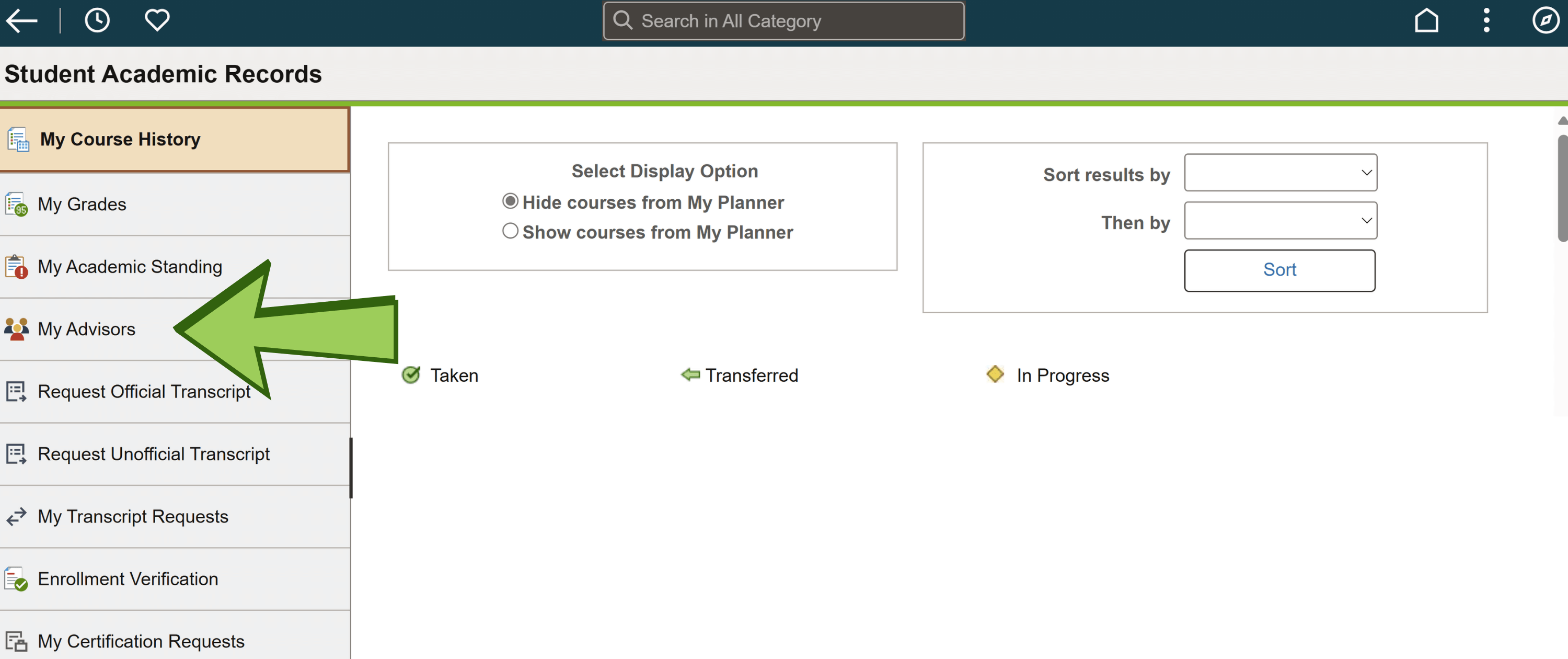
- Within the ‘Academic Records’ section, click on ‘My Advisors’
Step 3: View Your Advisor(s)
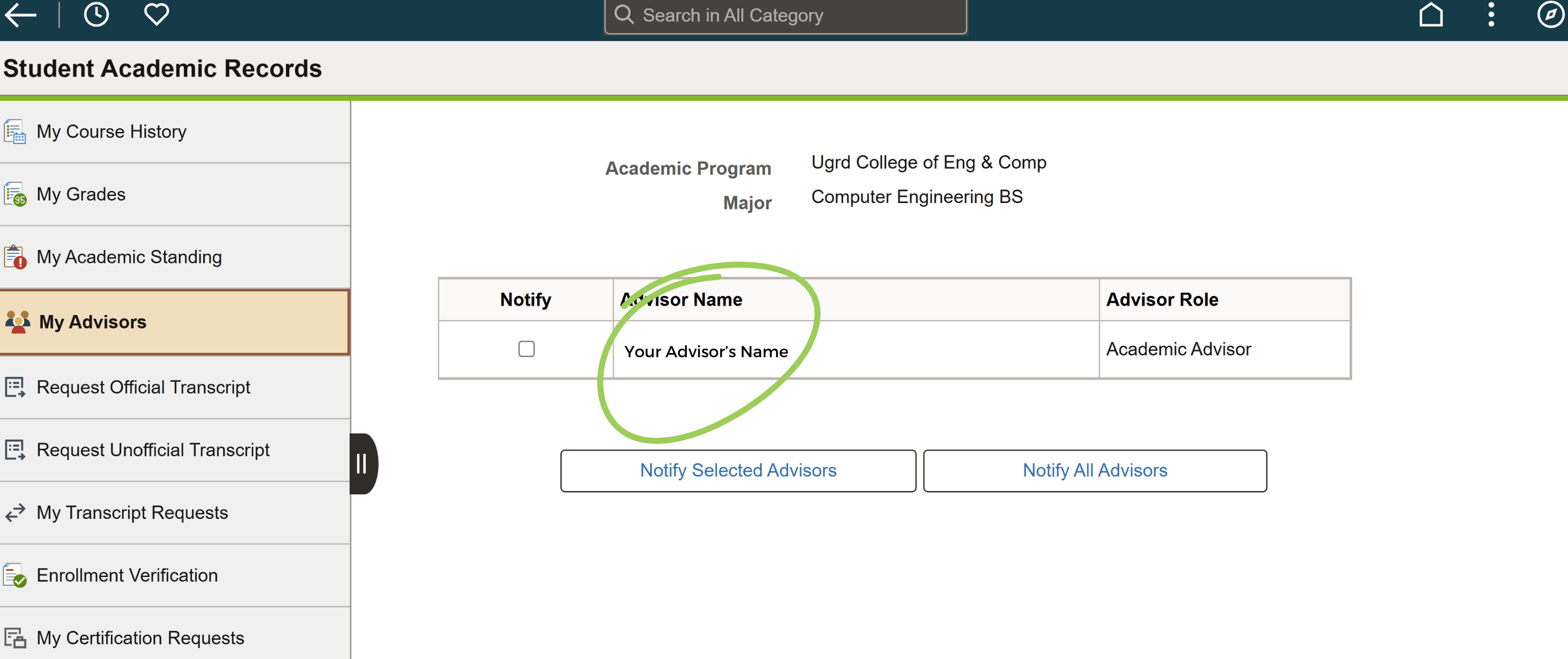
- Once selected, the page will display the name(s) of your assigned advisor(s).